How to Create Your Own AI Influencer (and Put It in Any Viral Trend)
Step-by-step with screenshots: build an AI influencer for free in Genfire's AI Influencer Studio, then use Genjudo to make it perform any Instagram trend, move for move.
You saw the reel. Every character in it is an AI influencer made in Genfire, and you can make your own in about five minutes. Building the character is free. You only spend credits when you turn it into video.
→ Start building your AI influencer, free
Free to sign up · 20 free credits · no card needed
What you'll need
- A free Genfire account. You get 20 free credits when you sign up, and a character costs about 6.
- One Instagram reel you want your influencer to recreate. 4 to 30 seconds works best.
Step 1: Open the AI Influencer Builder
Go to the AI Influencer Builder. If you're not signed in, you'll create a free account in one click and land right back here.
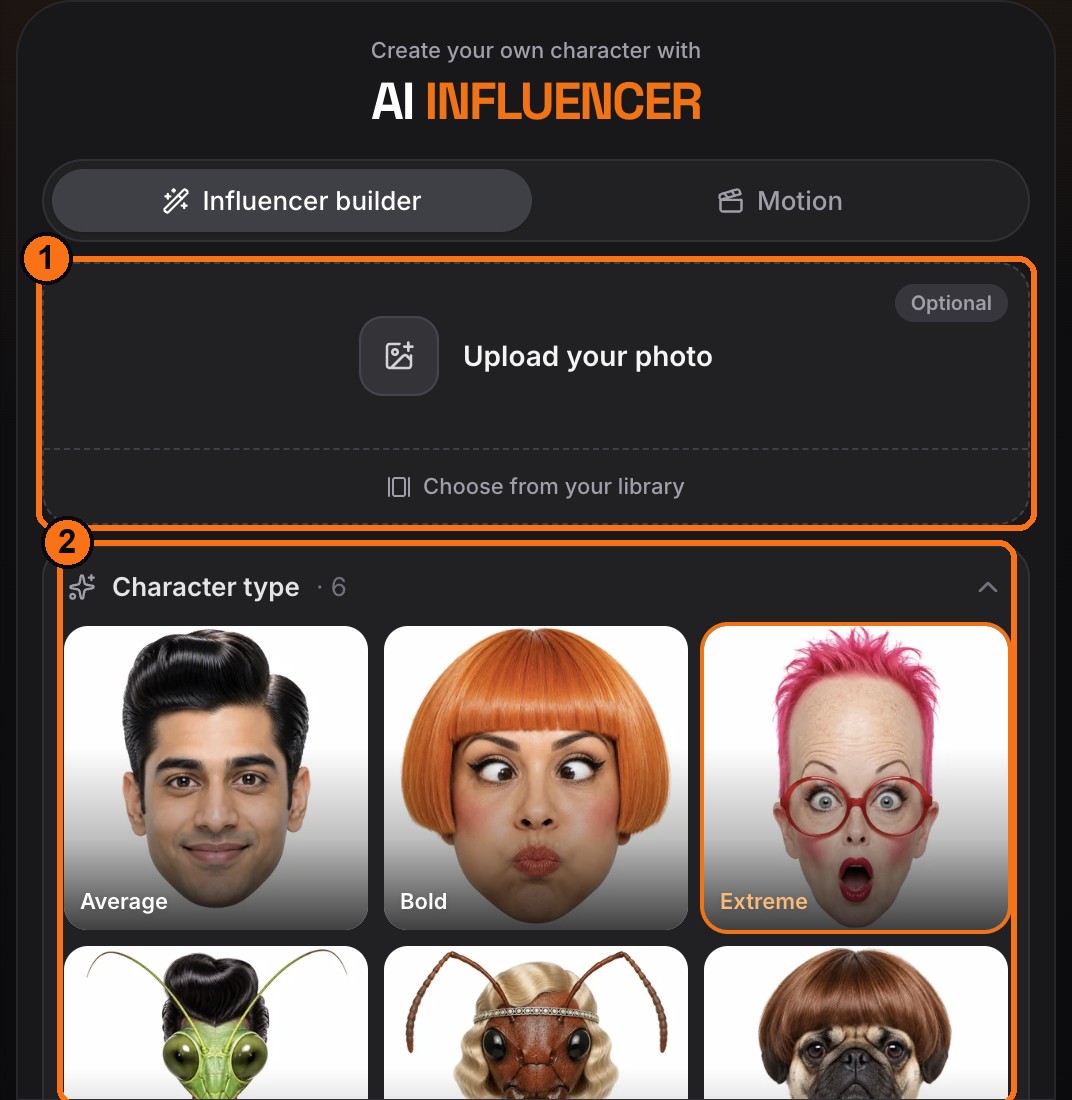
- 1Your photo (optional): upload a face and the character is built on it. Every trait you pick still applies.
- 2Character type: Average, Bold, Extreme, or the wild ones: Mantis, Ant and Dog.
Step 2: Pick traits, describe them, Generate
Scroll through the traits (gender, build, hairstyle, style, age, distinctive features and more) and tap what you want. Then fill in the bottom of the panel:
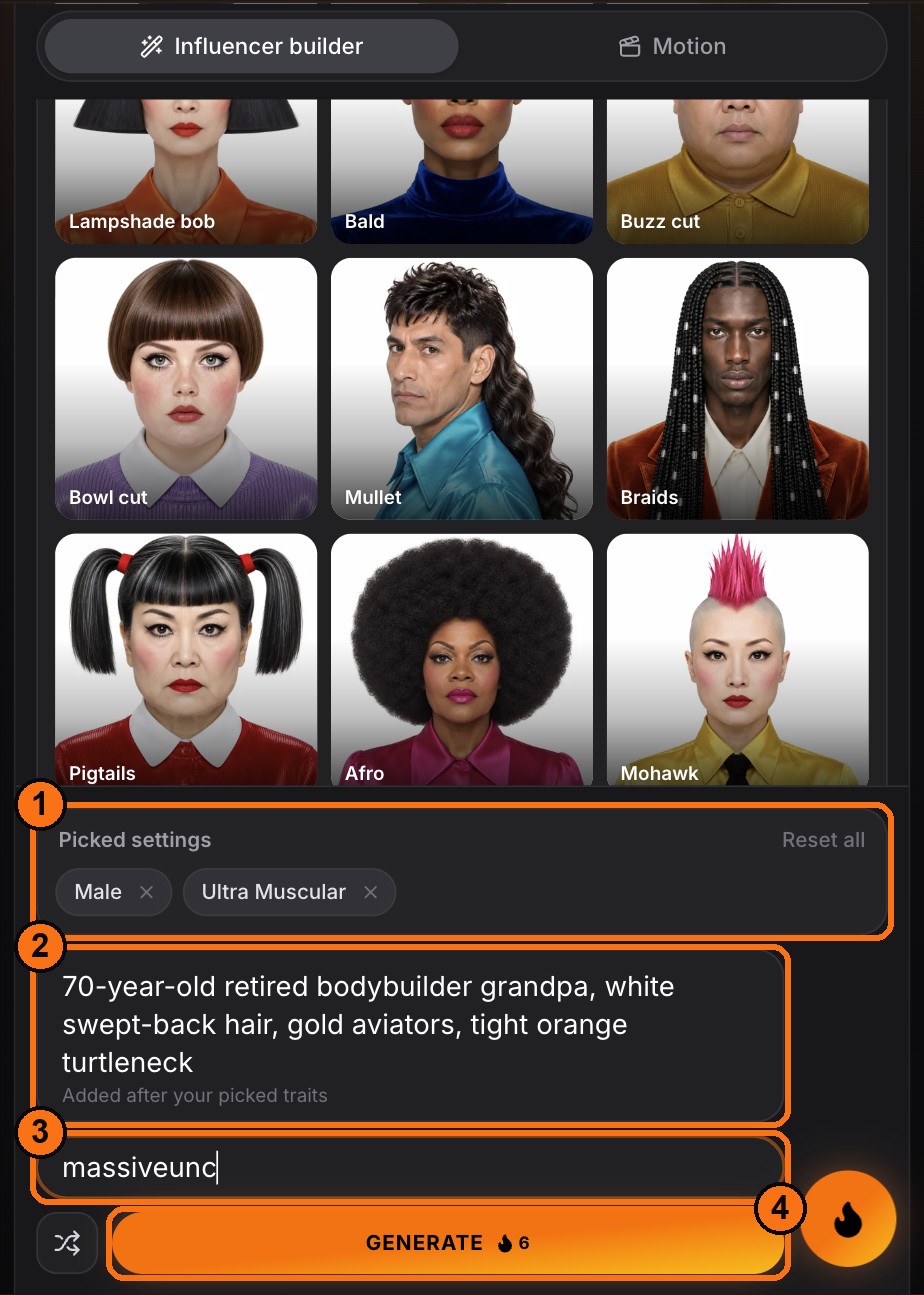
- 1Picked settings: every trait you choose shows here as a chip.
- 2Description: anything the traits don't cover. Who they are, their job, a signature outfit.
- 3@handle: optional, but it makes them feel like a real creator.
- 4Generate: the price is on the button, about 6 credits (12 if you used your own photo).
About a minute later your character shows up in History as a full character sheet: face close-up, back and front.
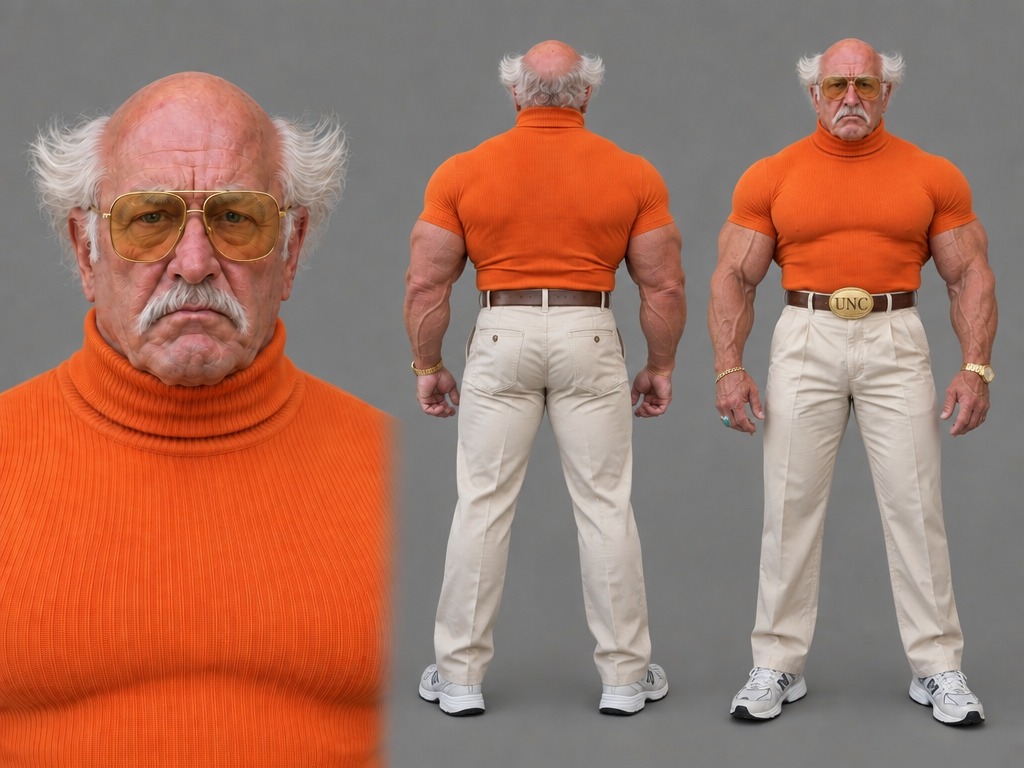
Tip: give every character one absurd feature and keep everything else believable. A buff grandma or a pigeon in a pinstripe suit stops the scroll. Five random weird things don't.
Shortcut: recreate one from the cast
Don't want to start from scratch? Open Explore → AI Influencers for 100+ ready-made characters.
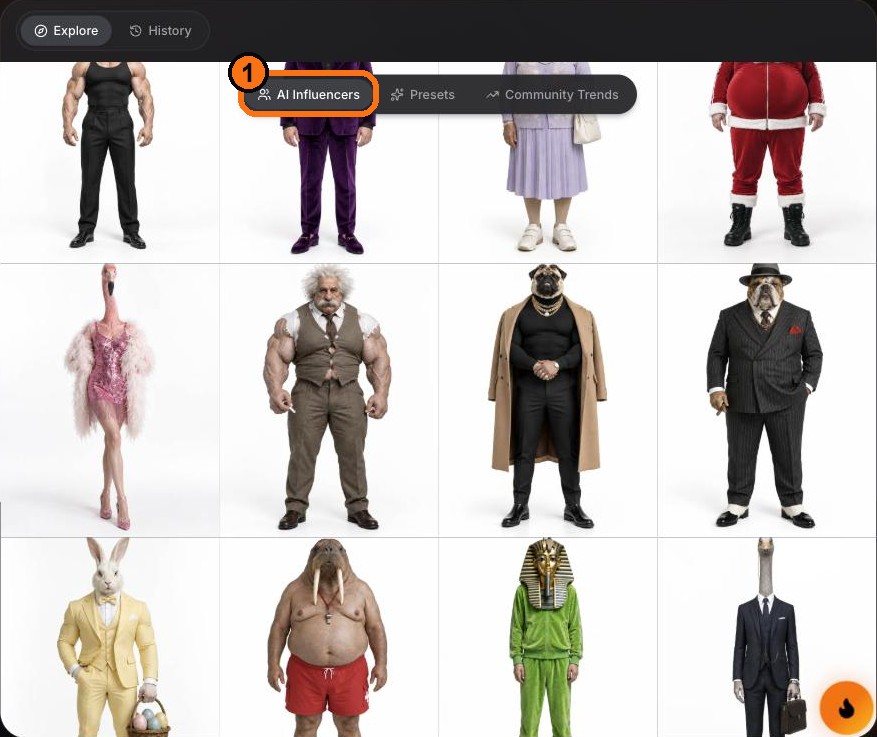
Open any character and hit Recreate. You get the same build in your builder, ready to tweak before you generate.
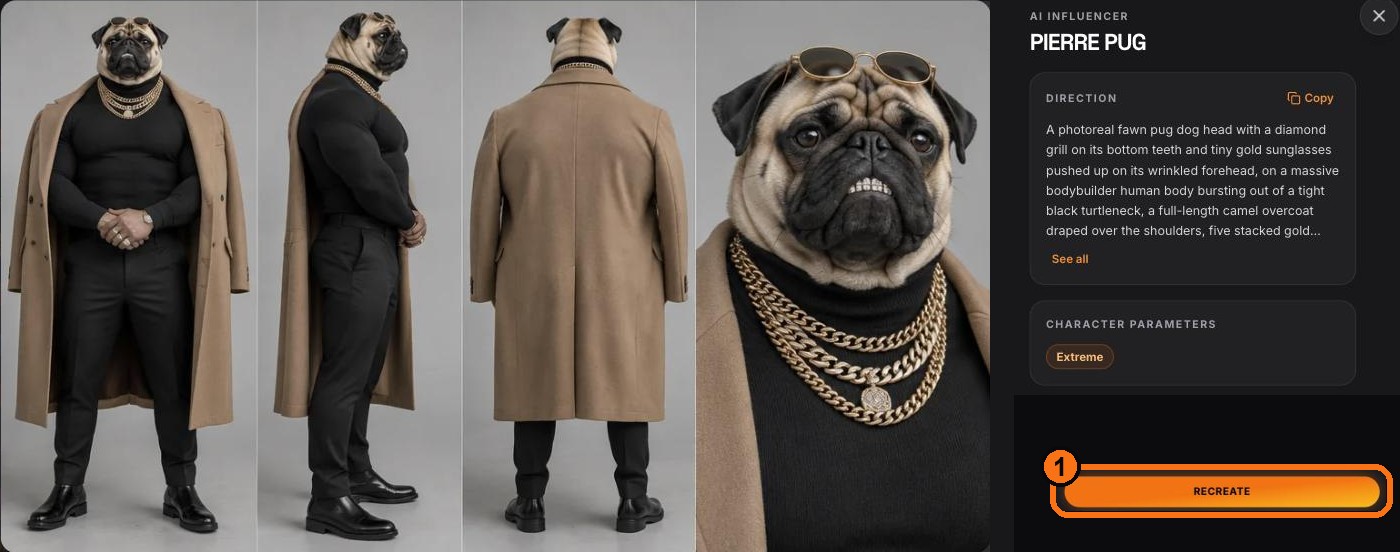
Step 3: Put them in a viral trend with Genjudo
Here's the magic: Genjudo takes any reel and recasts it with your character. It keeps the exact moves, camera and timing, with your influencer swapped in.
- 1In History, hover your character and hit Turn to motion.
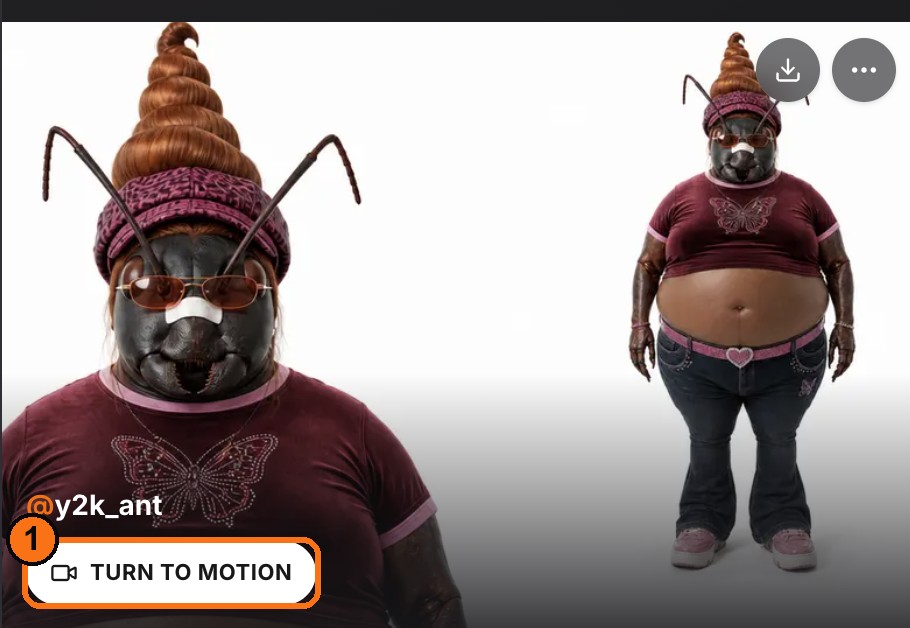
- 1That opens the Motion tab with your character already loaded. Keep Motion transfer selected (1), then paste an Instagram reel or post link (2). You can also upload a clip or pick one from the presets.
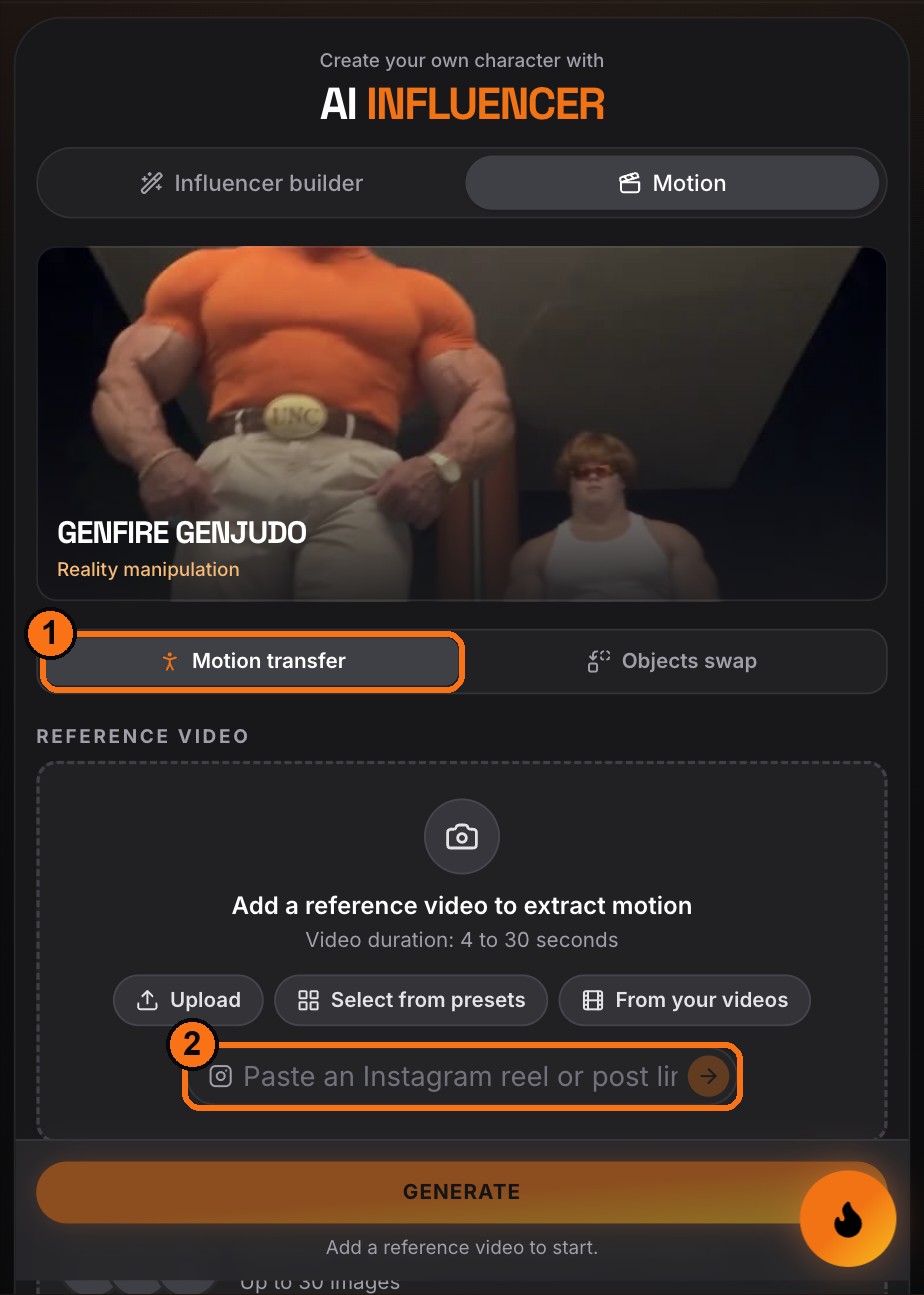
- 1If the reel is longer than 30 seconds, you'll pick which seconds to use.
- 2Leave the prompt off. The default keeps the exact motion, camera, framing and timing, with your character swapped in.
- 3Choose a quality (720p is the sweet spot) and hit Generate. The price is on the button: about 20 credits per second at 720p.
What it looks like
Step 4: Post it
- Download the video and post it as a Reel.
- Use the trend's original sound. That's half of why trends travel.
- Post the same character across several trends. A recognizable face is what builds a following.
Step 5: Build a roster
The accounts that win don't stop at one. Build a cast: a different absurd character for each kind of trend (dance, fitness, luxury, comedy), and keep them consistent. Every one you make is saved in History, ready for the next trend.
Pricing, simply
- Free: signing up, plus your first characters with the 20 credits you get at signup.
- Pay as you go: credit packs start at $19 for 1,000 credits. There's no subscription, and every Generate button shows the exact price before you spend anything.