Viggle Alternative: Why Genjudo Is the Best Viggle AI Alternative
Looking for a Viggle alternative? Genjudo recasts any clip with your own characters, then swaps products and places, relights, reframes and extends it.
The Short Answer
If you're looking for a Viggle alternative, or comparing apps like Viggle, use Genjudo. It's Genfire's video-to-video studio, built on ByteDance's Seedance 2.5 reference-to-video model. Give it a clip and one or two character images, and your own cast performs the clip's moves, timing and camera. Then it keeps going: swap the product, the outfit or the location, relight the shot, reframe it to vertical 9:16, clear people, logos and text out of the background, regrade it, or extend it past its last frame.
An AI director writes the shot-by-shot direction from your clip, you choose the sound, and every run bills from one credit balance shared with 80+ image, video and audio models. Credit packs stay valid for 12 months.
What Viggle Does
Viggle AI is a character-animation platform built on its own JST model. You swap a character image into a motion video, animate a still, or remix a trending meme clip, and its Mix tool drops one character image into a motion video. The product is built around the character: swapping, animating and tracking the people and figures in a clip.
Genjudo is built around the shot. The character is where it starts, not where it stops.
What Genjudo Does
Every mode below runs on Seedance 2.5 reference-to-video, with a second motion engine one tab over.
Motion transfer. Add a source clip and one or two images. Your cast performs the clip's moves, timing and camera move, and a location image can set the action somewhere new. Presets cover an exact transfer, a dance beat for beat, a product in hand, two characters, a garment on a model and motion in a new place. The AI motion transfer page covers the mode in depth, and the AI dance video generator shows a reference dance performed beat for beat by original characters.
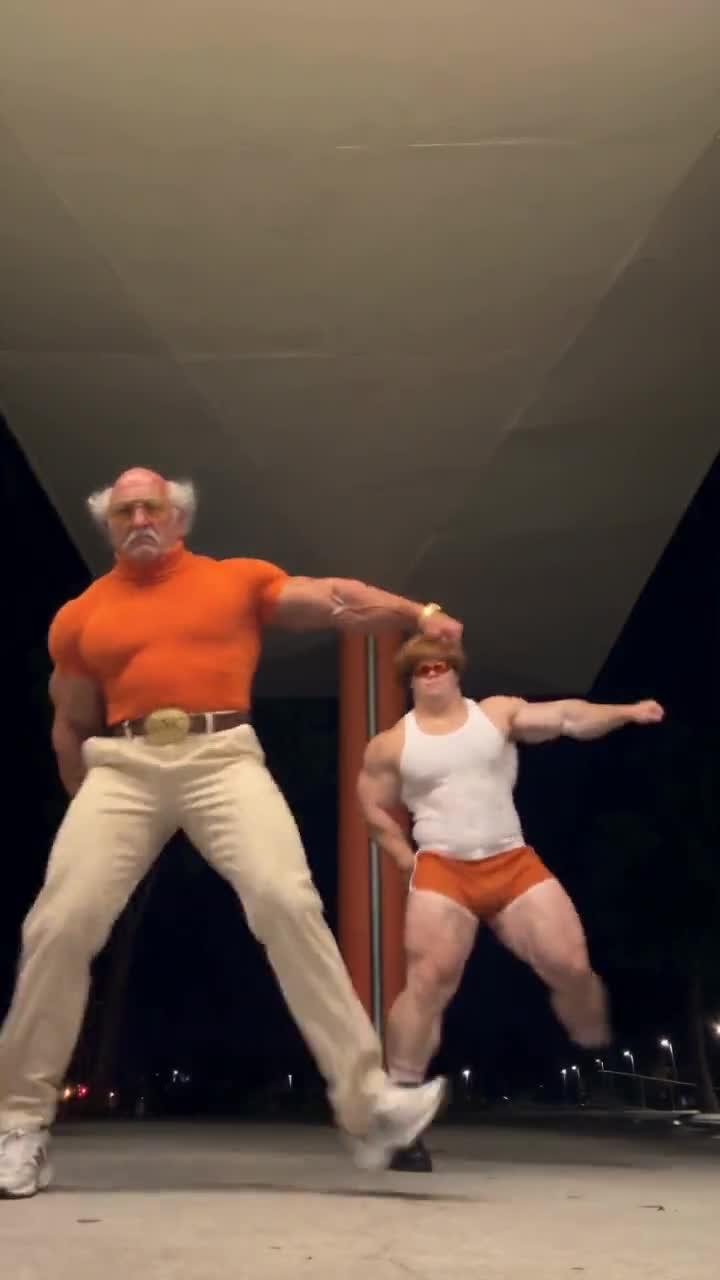
Swap. Keep the take you already have, with the performance, the hands, the light and the framing, and replace one thing in it: your character in the lead role, your product in the shot, your garment on the body, or a new location behind the subject. The AI character swap page walks through it.
Video edit. Fix the shot instead of reshooting it:
- Light & weather: golden hour, dusk, neon night, fog and rain.
- Reframe: punch in, widen, change the lens feel, or go vertical at 9:16.
- Clean up: remove background people, logos and text, or a distracting object.
- Colour & grade: change the season, give it a 1970s film stock look, or take it to black-and-white noir.
Extend. Continue a clip past its last frame with the same cast, light and camera, so the take runs as long as the edit needs.
Motion Control. A separate tab runs Kling 3.0 Motion Control, from the Kling V3 family: one character image, moved the way a reference clip moves, in the same studio and on the same balance.
Viggle vs Genjudo at a Glance
| Genjudo (Genfire) | Viggle AI | |
|---|---|---|
| Built around | The whole shot: motion transfer, swaps, video edits and extensions on Seedance 2.5 | The character: swap a character into a motion video, animate a still, remix meme clips |
| Edits beyond the character | Swap a product, outfit or location; relight, reframe to 9:16, remove background people, logos and text, regrade; extend past the last frame | Built around swapping, animating and tracking the people and figures in a clip |
| Direction | An AI director writes a shot-by-shot direction from your clip, or you write your own; 1–4 takes per run | Pick a character and a clip or template |
| Rights | A commercial-use licence with every credit pack | For animations made in the app, Viggle takes a perpetual licence to use your content |
| Credits | Packs from $19, valid for 12 months, on one balance shared with 80+ models | Plan credits expire on the billing date; extra credits carry over but only work with an active plan |
The full side-by-side is on our Genfire vs Viggle comparison.
Where Genjudo Goes Further
The original song stays under the dance
Dance trends live or die on the track. Choose Clip's sound and Genjudo lays the source clip's audio back under the result, timed to the window you trimmed, and the length follows your clip so the music never runs out early. AI sound has Seedance generate a new soundtrack instead, and Silent returns the video without audio, ready for music or a voiceover later.
A director that reads the clip
Leave the prompt empty and Genjudo's AI director watches your source clip and writes a shot-by-shot direction: what happens in each shot, how the camera moves, and which of your images replaces which person. In the direction your clip is @Video1 and your images are @Image1 and @Image2, the same text the model receives, so you can check who plays whom and change it before you run.
If you'd rather write it yourself, the Dance preset is a good starting point:
Transfer the dance in @Video1 onto @Image1 beat for beat: the same footwork, arm timing and weight shifts, with the camera framing held. Keep the identity, clothing and proportions of @Image1 unchanged.
Paste a reel, skip the download
Paste an Instagram reel link and Genjudo uses the reel as the source clip, with no download step. Paste a photo post instead and its images become your cast.
More than one shot at a hard move
Every run gives you 1 to 4 takes of the same direction, so a fast routine gets more than one attempt. Outputs run 4 to 30 seconds, and in Motion transfer you can match the clip's length or pick your own, and keep the source frame or choose a different ratio.
Two Motion Engines in One Studio
Genjudo's Motion Control tab runs Kling 3.0 Motion Control. Drop one character photo and a reference clip, and the character moves the way the clip moves. If a move isn't landing in Motion transfer, run the same clip and character through Motion Control and compare the takes, without leaving the studio. Both tabs draw on the same credit balance, and each shows the exact cost before you run.
Rights to What You Make
Viggle's terms of use (last updated 26 August 2026) say that for animations made in the Viggle app, Viggle claims no ownership but takes a perpetual licence to use and display your content, and, for users who don't pay, to train its models on it.
On Genfire, every credit pack includes a commercial-use licence. That matters the moment a recast dance turns into a brand post or a client deliverable.
Credits That Outlast a Billing Date
On Viggle, plan credits expire on the billing date, and extra credits carry over but only work with an active plan.
Genjudo bills from your Genfire credit balance, the same balance that covers 80+ image, video and audio models, and the studio shows the exact cost before every run. Credit packs start at $19 and stay valid for 12 months, so a quiet month doesn't burn what you bought. Packs are on the pricing page.
Switching From Viggle to Genjudo
- 1Bring the clip. Upload it, or paste the Instagram reel link.
- 2Pick the mode. Motion transfer for a new cast, Swap for a new character, product, outfit or location, Video edit for light, frame, clean-up or grade, Extend for more seconds.
- 3Add your images. One or two character images for Motion transfer, or an image of the new item for Swap.
- 4Let the director write it, or write your own direction with
@Video1and@Image1. - 5Set the sound, length and takes, check the exact cost, and run. If a run fails, the credits are refunded automatically.
Open Genjudo with a clip you already have and the cost of the run appears before you start it.
Use Footage and Faces You Have the Right To
Use clips you shot, licensed or have permission to use, and only cast real people who have agreed to it. Original characters, for example ones you cast in Genfire's AI Influencer Studio, are the simplest cast, because nobody else's likeness is involved.
Which One Should You Use?
Genjudo. It recasts a clip with your own characters, carries the camera and timing along with the moves, keeps the original song under the dance, and then finishes the shot: new product, new outfit, new location, new light, a vertical reframe, a clean background, a new grade and a longer ending. Kling 3.0 Motion Control sits in the next tab, and everything bills from credits that last 12 months. The detail is on Genfire vs Viggle.
FAQ
What is the best Viggle alternative?
Genjudo by Genfire. It does motion transfer from one or two character images, swaps the character, product, outfit or location in a shot, and adds Video edit (relight, reframe to 9:16, clean up, regrade) and Extend, all on ByteDance Seedance 2.5 reference-to-video, with Kling 3.0 Motion Control in its own tab.
Is there an app like Viggle that keeps the original song?
Yes. In Genjudo, choose Clip's sound and the source clip's original audio is laid back under the result, timed to the window you trimmed. You can also pick AI sound or Silent.
Can Genjudo put my own character into a dance video?
Yes. Upload the dance or paste a reel link, add a full-body image of your character, and pick the Dance, beat for beat preset. Your character performs the same footwork, arm timing and weight shifts with the framing held, with 1 to 4 takes per run.
Do I have to write a prompt?
No. Leave the prompt empty and the AI director writes a shot-by-shot direction from your clip, which you can read and edit before you run.
Can I use Genjudo videos commercially?
Every Genfire credit pack includes a commercial-use licence. You still need the rights to the source clip, and the consent of any real person you cast.
How much does Genjudo cost?
Genjudo bills from your Genfire credit balance and shows the exact cost before every run. Credit packs start at $19 and stay valid for 12 months.