Made with Genfire
Real outputs from the ai headshot generator.
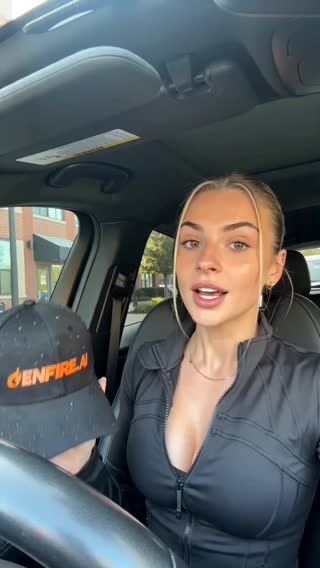 Corporate
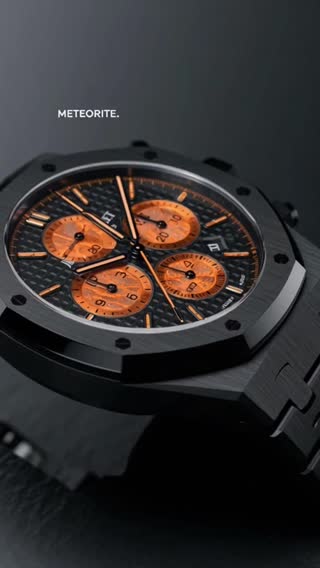
 Creative
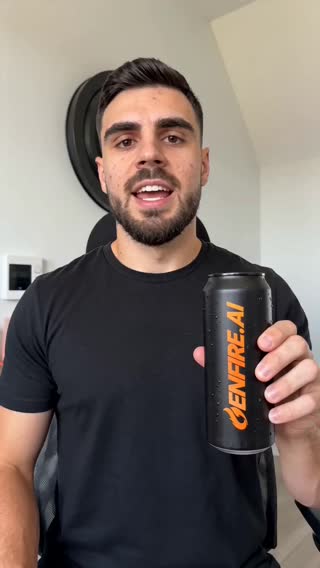
 Outdoor
What you can create
One tool, many formats — these are the things creators actually ship with the ai headshot generator.
LinkedIn profile
The photo that makes recruiters stop scrolling.
Team pages
A consistent professional look across the whole company.
Speaker bios
Conference-grade portraits for events and press.
Resume & CV
Polished applications in markets that expect a photo.
Press kits
Editorial portraits for media and podcast appearances.
Personal brand
A fresh set for newsletters, sites, and social bios.
Why Genfire
A full pack, not one photo
Each run produces a set of varied headshots — corporate, creative, outdoor — so you can pick favorites.
Looks like you
Identity is anchored to your reference photos, so results are recognizably you on a good day, not a stranger.
Beyond headshots
The same photo-pack engine does product photography and styled portrait sets for brands and creators.
Minutes, not a photoshoot
No photographer, studio, or scheduling — results land in your library while you wait.
Style directions
Steal these to get started — every one is a single click from a result.
How it works
- 1
Upload selfies
A handful of clear photos with varied angles works best.
- 2
Pick styles
Choose looks — corporate, casual, creative — and let the pack generate.
- 3
Download favorites
High-resolution portraits ready for LinkedIn, resumes, and press pages.
What separates good AI headshots from uncanny ones
Every cheap headshot app has the same failure mode: the output is a handsome stranger. The cause is weak identity conditioning — the model takes your photos as a vague suggestion. Genfire anchors generation to your reference photos directly, so results preserve the geometry of your actual face: you on your best-lit day, not a composite.
Inputs drive quality. A handful of sharp, well-lit selfies from slightly different angles — no sunglasses, no heavy filters, no group shots — gives the model what it needs. From there, a pack generates dozens of portraits across outfits, backdrops, and lighting setups in minutes.
The same photo-pack engine extends past faces: product photography, styled portrait sets for brands, and consistent imagery for personal brands all run on the same identity-locked generation — one of the quiet advantages of having headshots inside a full creative platform rather than a single-purpose app.
Loved by creators
“Great for creating quick cutscenes and character intros for indie games.”
“I made a book trailer that went viral on BookTok. Sales increased by 300%!”
“Explaining complex exercises with AI generated slow-motion videos has helped my clients immensely.”
Frequently asked questions
How many photos do I need to upload?
A few clear selfies from different angles are enough. More variety in your uploads improves likeness in the generated pack.
Will AI headshots actually look like me?
Yes — Genfire conditions generation on your reference photos, so the output preserves your real features rather than producing a generic face.
Can I use AI headshots on LinkedIn?
Yes. AI headshots are widely used on LinkedIn, resumes, and company team pages.
How fast do I get results?
Packs generate in minutes and appear straight in your Genfire library for download.
Can it do product photos too?
Yes. The photo-pack engine also generates professional product photography from your product images.
How fast do headshots generate?
Packs complete in minutes — upload selfies, pick styles, and download finished portraits in the same sitting.
What photos should I avoid uploading?
Skip sunglasses, heavy filters, group photos, and extreme angles. Clear, recent, well-lit photos of just you produce the strongest likeness.
Can I request specific outfits or backgrounds?
Yes — styles cover corporate, creative, and outdoor looks, and you can steer outfit and backdrop direction per pack.
Related tools
From the blog
All posts →Explore Genfire
AI Tools
AI Models
Start creating with AI Headshot Generator
65+ AI models, a visual workflow editor, persistent influencers, and an API — all in one app. Free plan included, no credit card required.
Get Started Free