Made with Genfire
Real outputs from the ai photo editor.
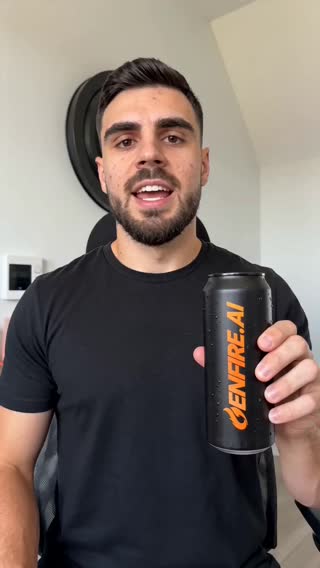 Enhanced
What you can create
One tool, many formats — these are the things creators actually ship with the ai photo editor.
Background swaps
Subject stays; the scene becomes anything you describe.
Object removal
Crowds, clutter, and photobombers — gone cleanly.
Product retouching
E-commerce-ready shots from rough captures.
Portrait enhancement
Lighting and skin handled with restraint, not plastic.
Style transfer
Reimagine a photo in a new look, season, or palette.
Restoration
Sharpen, upscale, and revive old or low-res images.
Why Genfire
Edits in plain language
"Remove the car in the background", "make it golden hour", "put him in a suit" — no masks, layers, or pen tools.
Background removal and replacement
One-click background removal, or describe a new scene and the subject is composited naturally.
Upscale and enhance
Sharpen low-resolution images and upscale for print or large-format use.
Works on iPhone photos
Live Photos and HDR captures are handled automatically — upload straight from your camera roll.
Edit instructions
Steal these to get started — every one is a single click from a result.
How it works
- 1
Upload an image
Any photo from your device, or an image generated in Genfire.
- 2
Describe the change
Type the edit in plain English and generate.
- 3
Refine and export
Chain further edits, upscale, and download the final image.
Editing by description, not by layers
Photoshop-class editing was always a skills tax: masks, layers, selections, and an interface with a thousand switches. Instruction-based editing replaces the interface with a sentence — the model reads "remove the car and make it golden hour," understands what in the image is the car and what golden hour does to light, and regenerates the photo with everything else preserved.
Edits chain naturally: swap the background, then adjust the lighting, then remove a distraction — each instruction builds on the last result, the way a retoucher works through notes. One-click background removal and a serious upscaler cover the finishing passes.
Phone photos just work: Genfire automatically handles iPhone Live Photo and HDR formats that break stricter editing pipelines, so camera-roll uploads behave like any other image.
Loved by creators
“API access is robust. We integrated GENFIRE into our internal tool and it works like a charm.”
“Quickly visualizing news stories has never been easier. Essential for modern reporting.”
“Pitch decks came alive. Investors were blown away by the product demo videos created entirely here.”
Frequently asked questions
How does AI photo editing with text work?
You upload an image and describe the change in plain language. The editing model regenerates the image with your instruction applied while preserving everything else.
Can it remove objects or people from photos?
Yes. Describe what to remove and the editor fills the area naturally with matching background.
Can I change the background of a photo?
Yes — either remove the background in one click or describe an entirely new scene for the subject.
Does it work with phone photos?
Yes. iPhone Live Photos and HDR formats are processed automatically, so camera-roll uploads just work.
Is the AI photo editor free to try?
Yes. Free-plan credits cover image edits, so you can test the editor before subscribing.
Does editing reduce image resolution?
Edits regenerate at high quality, and the built-in upscaler can push the final result beyond the original resolution when needed.
Can I edit faces without breaking the likeness?
Yes — lighting, backdrop, and wardrobe edits preserve identity. The model is conservative with facial geometry unless you explicitly ask for changes.
Can I batch-edit multiple photos?
You can queue edits across multiple images — useful for applying the same look to a product set or photo series.
Related tools
From the blog
All posts →Explore Genfire
AI Tools
AI Models
Start creating with AI Photo Editor
65+ AI models, a visual workflow editor, persistent influencers, and an API — all in one app. Free plan included, no credit card required.
Get Started Free